ESP & wallhack
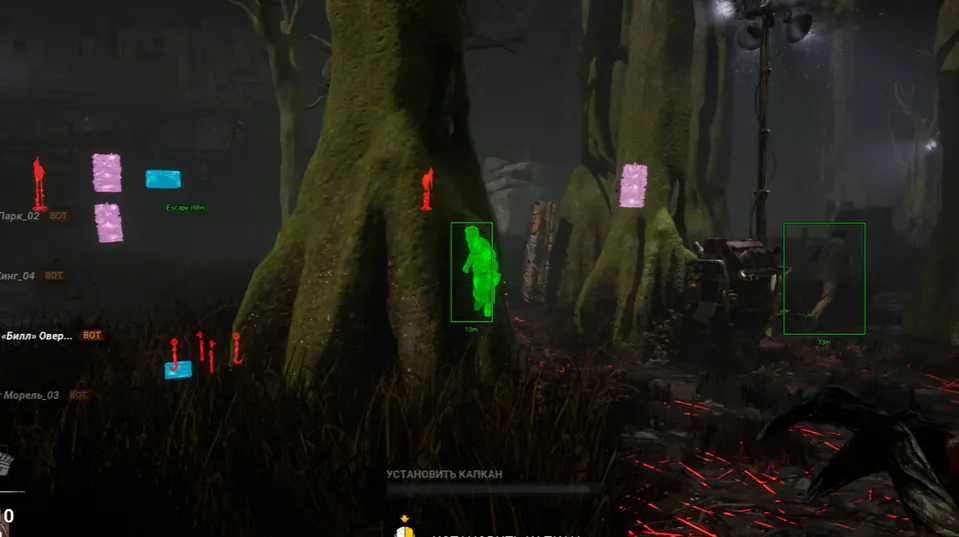
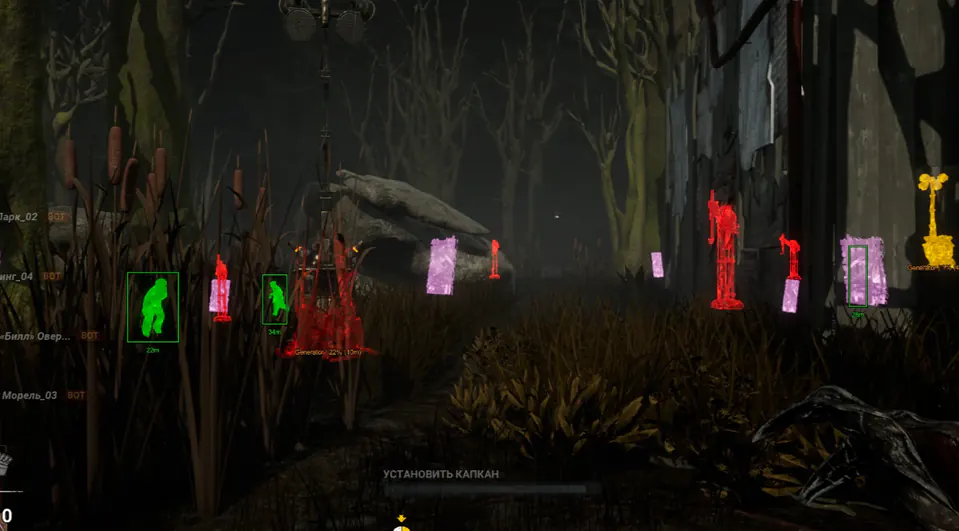
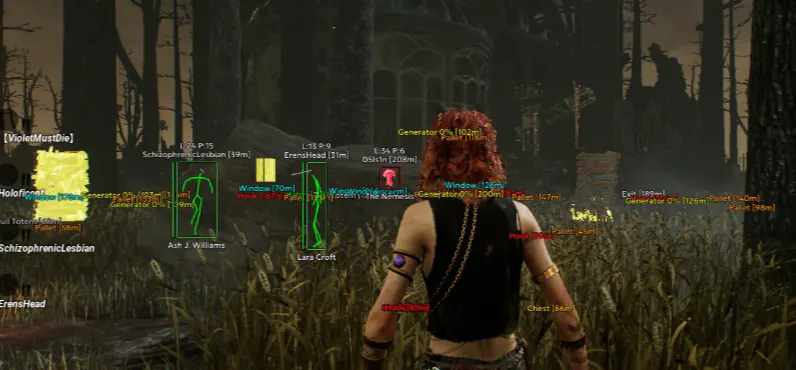
See survivors, killers, and generators through walls with distance readouts.
Use filters so the overlay stays clear in high-traffic tiles, high-traffic tiles, and chase chaos.
- Player boxes & distance
- Generator and hook markers
- Killer and survivor filters
Aimbot & soft aim
Aim help you can tune to feel natural.
Set FOV, smoothness, and bone priority per killer before you queue.
- Smooth aim strength
- FOV and bone priority
- Hotkeys mid-match
Radar
A simple 2D radar for threats outside your view.
Spot flanks near generators and hooks without filling the whole screen.
- Nearby enemy cues
- Adjustable range
- Works in survivor & killer
Explore related topics
Most Dead by Daylight cheat sites cover ESP, aimbot, radar, setup, and status on separate pages. Use these guides next:
Updates & support
We rebuild after big Dead by Daylight or Easy Anti-Cheat patches.
Check Status before you play after a patch day.
Verify official changes on Steam patch notes and the DBD Wiki before you tune overlays.
- Status on the Status page
- Setup guide included
- Email support with your order ID
Official game guides & resources
We link to trusted third-party sources so you can verify patch notes, killer stats, and map info outside our site.
- Dead by Daylight on Steam Official store page, system requirements, and player reviews.
- Steam patch notes & news Read official update posts before you change your loadout.
- Official Dead by Daylight website Game overview from Behaviour Interactive.
- Dead by Daylight Wiki (Fandom) Killer stats, perks, maps, and trial mechanics.
- Steam Community hub Announcements and community discussions.